
kasdeya
kasdeya
Linux should really have a standardized way to figure out where the config files are for something
like imagine if I installed plocate and then I just typed wheres-the-conf plocate and it said:
The system-wide config file for plocate can be found at:

/etc/proc/systemd/opt/usr/whatever/

Your user config file for plocate is at:

~/.local/bin/usr/opt/whatever/

The documentation for these config files can be found at:

https://www.plocatedocs.org/config-files.html
when I’m using WSL I basically just don’t configure anything because it’s so much trouble hunting around for where to find anything - and even after I’ve found it I then also have to search for the docs on what options are available and what they mean and that’s just so inconvenient idk
 2
2
 1
1
 6
6
kasdeya
kasdeyaI’d also really love a command that’s like:
$ what-installed locate
The locate command at /usr/bin/locate was installed from the plocate package using apt

$ what-installed jj
The jj command at ~/.cargo/bin/jj was installed for the current user using cargo (/usr/bin/cargo). It's from the jujutsu package

$ what-installed cargo
The cargo command at /usr/bin/cargo was installed using rustup at /usr/bin/rustup

$ what-installed rustup
The rustup command at /usr/bin/rustup was installed from the rustup package using apt

Grace Vulpes Alopex (973748)
pharmafemboy@estradiol.cityyeah...
there's technically a standard for this, it's the XDG base directory standard, just, no one follows it for some reason?
like, basically all user configs should be in $HOME/.config, but I have so many different programs that instead put stuff in their own $HOME/.whatever folder instead
1
0
1
kasdeya
kasdeya@pharmafemboy I would love if they did that omg. and ideally I’d love if they named the config file after the program lol because I just learned that in order to configure plocate I need to edit /etc/updatedb.conf which I never would have guessed
1
0
1
Grace Vulpes Alopex (973748)
pharmafemboy@estradiol.cityyeah, /etc is the system wide config folder in the XDG spec, but also, wow yeah, that's a terrible name for the config file
it'd be less horrid if like, it was /etc/plocate? cause then it'd be obvious which program it goes to
but damn, just...
it's really hard to organize a collaborative project like linux tbh...
1
0
1
kasdeya
kasdeya@pharmafemboy yeah it really is - and I’m sure a lot of programs are stuck using other config file locations because a ton of infrastructure is relying on it being there. also I still haven’t gotten used to all of the Linux dirs and what they mean if you couldn’t tell lol
but maybe if all software from now on uses the XDG spec (maybe this part is wishful thinking), then a wheres-the-conf tool would only need to have a hardcoded list of other things that don’t follow that spec! that would be really nice
0
0
2

tempest
tempest@social.treehouse.systems
Show content
@kasdeya yeah all of those would be really helpful. it's not as unified but there are some commands available that can help with some of this (though yeah they're not obvious that they exist or will have that info)
man pages do tend to identify config files, or often there will be a separate man page for the config file which describes what things read it and what it all means, so you can try looking up like "man resolv.conf" and don't necessarily need to know what program reads it to find the manual
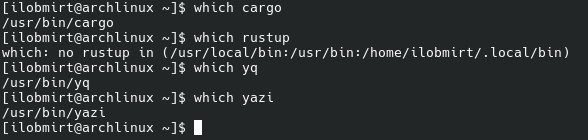
also once you know the full path to an executable (which is pretty straightforward with the "which" command) most system package managers can answer which package a file belongs to, like dpkg -S on debian based systems or pacman -Qo on arch — though if it's not provided by a system package that's when things get tricky
(although stuff like rustup will usually put it in ~/.local or whatever, which is a strong indicator that you can safely delete it if you need to as it's only available to your user. also stuff installed per-user also tends to be more likely to read per-user configs in ~/.config or ~/.share)
1
0
1


Fargate 
fargate@tech.lgbt
Show content
@kasdeya I know a package manager that allows this to a degree. As long as the machine's packages are managed through it, one can always know something was installed through it, and it can tell why something that was not defined at top level was installed. Though it does come with the rather obvious drawback of, indeed, expecting everything to be done through it.
As will come as no surprise to those that know me, I speak of #nix, and more specifically #NixOS. After all, if the whole machine is managed in a single NixOS configuration one can always see what installed what and make sure the configs of programs are as one wishes all in one place. And on project level, the local nix file recipes will answer the same question. For finding out what installed some dependencies, there's nix why-depends.
But none of this is standard. It is in fact a very specific thing that needs to be learnt separately.
1
0
1
kasdeya
kasdeyaShow content
@tempest omg I had no idea that there were manpages for config files! that helps a lot to know about. I’ve really only used manpages for commands, but I know there’s other stuff in there too, like I think there’s documentation for C APIs in there as well
also it’s so good to know about dpkg -S as well! although, do you mind explaining what the difference is between dpkg and apt? it seems like they’re both package management related commands but they’re used for different types of package management, inside of the same package management system?
1
0
2
kasdeya
kasdeyaShow content
@fargate ohh I should have known that NixOS would let you do this! that must be really nice. I don’t think I’d ever use something like NixOS but I love that it exists because it seems really satisfying to get it working if one is able to think in the ways that it demands
1
0
2
Fargate
fargate@tech.lgbt
@kasdeya I did mention being a person that moves slow. Having a working system defined in a reproducible configuration makes the dream work. Set it up once, trust that it will work from machine to machine. It does help it's all functional programming though, given it is my specialty and interest.
1
0
1
tempest
tempest@social.treehouse.systemsShow content
@kasdeya on dpkg / apt our vague impression has been that apt is concerned with package repositories and what is *available* to install, but dpkg is much more limited in its concerns to actually installing the packages / maintaining a local database of which packages are installed
we believe it's something akin to "apt figures out what packages to download, and downloads them, but relies on / uses dpkg to install the packages after they've been downloaded" (or if it's not dependent on dpkg it uses and augments dpkg's database of the state of the local system)
this is all coming from like, vague background knowledge from having to use both to troubleshoot things though — so while we can say that thinking about apt this way has been a useful mental model, we've not dug in deep enough to check how well it corresponds to the actual implementation
1
0
1
kasdeya
kasdeya@fargate that all definitely makes sense! and it does sound really nice tbh. I really like the thought that I could install software once and have it continue working forever in a little bubble where its environment is perfectly maintained
the impression that I get from NixOS is that it takes a lot of general Linux knowledge, technical skill, and mastery of Nix/NixOS/etc. in order to get a setup that fits one’s daily needs - but once you’ve got that setup it will keep working forever. although changes/additions to the setup are also very technically demanding
I hope that immutable distros get better over time (I’m sure they will) because I’d love to have all of the advantages that I just mentioned, without having to do too much troubleshooting and learning and tinkering
1
0
1
kasdeya
kasdeyaShow content
@tempest ohh I see! I think this makes sense. I know dpkg can install .deb files so I bet apt downloads .deb files which are then installed by dpkg
and thanks for all of the help! I really appreciate it
2
0
2
tempest
tempest@social.treehouse.systemsShow content
@kasdeya you're very welcome, we're glad it's helpful!
0
0
1

erin 💫
erin@tired.umbreon.onlineShow content
@kasdeya @tempest yeah this is exactly correct - apt does everything relating to package metadata (version/upgrade management, dependency resolution and conflict checks) and downloading (managing external repos, caching), and dpkg just installs individual packages and maintains the database of what's currently installed
1
0
1
kasdeya
kasdeya
0
0
3
Fargate
fargate@tech.lgbt
@kasdeya It's hard to say. It was painless enough for me, but I also had help close by and have background in functional programming. As long as something is in nixpkgs though, it tends to be simple enough to get running. Most of the heavy lifting will have been done by others. But again, that's just how it was for me, and I didn't really have the common experience.
0
0
1